
Angularjs
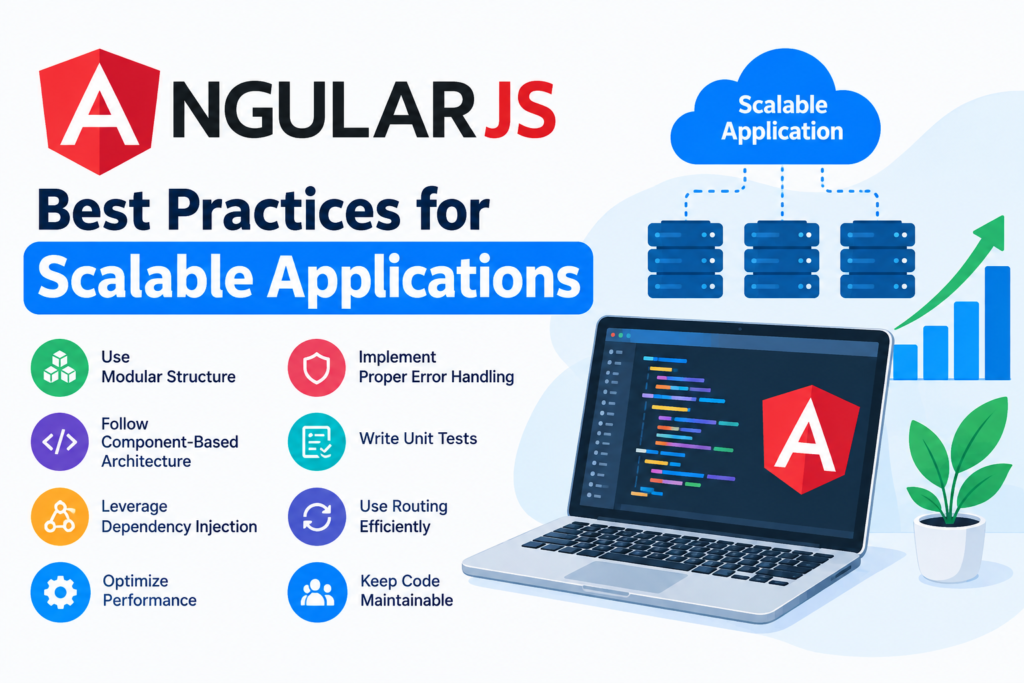
AngularJS Best Practices for Scalable Applications
Oct
AngularJS Best Practices for Scalable Applications
AngularJS has been widely used for building dynamic, single-page web applications. Although modern projects often use newer frameworks such as Angular, React, or Vue, many businesses continue to maintain and expand applications built with AngularJS.
As an AngularJS application grows, its codebase can become difficult to maintain if architecture, components, services, and performance are not handled carefully. Following established best practices from the beginning can make an application easier to scale, test, debug, and maintain.
In this guide, we’ll explore practical AngularJS best practices for building scalable applications.
1. Organize the Application by Features
One of the most important practices for a scalable AngularJS project is maintaining a clear folder structure.
Instead of placing all controllers, services, templates, and directives into separate global folders, organize files around application features.
For example:
app/
├── users/
│   ├── users.controller.js
│   ├── users.service.js
│   ├── users.html
│   └── users.routes.js
├── products/
│   ├── products.controller.js
│   ├── products.service.js
│   ├── products.html
│   └── products.routes.js
├── shared/
│   ├── components/
│   ├── services/
│   └── filters/
└── app.js
Feature-based organization makes it easier for developers to locate related code and work on individual parts of the application without affecting unrelated features.
2. Use Controllers for Presentation Logic
Controllers should coordinate data between the view and application services rather than becoming large containers for business logic.
Avoid putting API calls, complex calculations, validation rules, and data-processing logic directly inside controllers.
Instead, move reusable business logic into services.
For example:
app.controller('UserController', function($scope, UserService) {
    UserService.getUsers().then(function(response) {
        $scope.users = response.data;
    });
});
The controller remains relatively simple while UserService handles communication with the backend.
3. Create Reusable Services
Services are particularly important in large AngularJS applications.
A service can handle tasks such as:
- API communication
- Authentication
- User management
- Application configuration
- Data processing
- Caching
- Shared business logic
For example:
app.service('UserService', function($http) {
    this.getUsers = function() {
        return $http.get('/api/users');
    };

    this.getUser = function(id) {
        return $http.get('/api/users/' + id);
    };
});
Centralizing API-related functionality prevents duplicate code across controllers and makes future changes easier.
4. Prefer Components for Reusable UI
AngularJS introduced components as a simpler way to create reusable UI elements.
Instead of creating large controllers connected directly to views, consider breaking the interface into smaller components.
app.component('userList', {
    templateUrl: 'user-list.html',
    controller: function(UserService) {
        var $ctrl = this;

        UserService.getUsers().then(function(response) {
            $ctrl.users = response.data;
        });
    }
});
Components encourage modular design and make individual parts of the application easier to test and maintain.
5. Keep Components Small
A component should generally have one clear responsibility.
For example, instead of creating one component responsible for:
- Loading users
- Displaying users
- Editing users
- Managing permissions
- Generating reports
break these responsibilities into smaller components and services.
Smaller components are easier to understand, test, reuse, and modify.
6. Use Dependency Injection Properly
AngularJS relies heavily on dependency injection.
Use dependency injection instead of directly accessing global objects or creating dependencies inside functions.
For production applications, minification-safe syntax is important.
Instead of:
app.controller('UserController', function($scope, UserService) {
});
use:
app.controller('UserController', ['$scope', 'UserService',
    function($scope, UserService) {
    }
]);
You can also use AngularJS’s annotation tools during the build process to automate this.
7. Avoid Excessive Use of $scope
Older AngularJS applications commonly rely heavily on $scope. While $scope is an important part of AngularJS, excessive use can make large applications harder to understand.
Components use controller-based bindings and provide a cleaner structure.
For example:
app.component('userProfile', {
    bindings: {
        user: '<'
    },
    template: `
        <h2>{{$ctrl.user.name}}</h2>
    `
});
Using one-way bindings where appropriate can also make data flow easier to reason about.
8. Optimize Watchers and Digest Cycles
AngularJS uses a digest cycle to detect changes in application data. Applications with excessive watchers can experience performance problems.
Avoid unnecessary bindings and expensive expressions in templates.
For large lists, use one-time binding when the value does not need to change:
<h1>{{::user.name}}</h1>
The :: syntax tells AngularJS that the expression only needs to be evaluated until its value becomes available.
This can reduce the number of active watchers.
9. Use track by with Large Lists
When displaying large collections with ng-repeat, use track by whenever you have a stable unique identifier.
Instead of:
<li ng-repeat="user in users">
    {{user.name}}
</li>
use:
<li ng-repeat="user in users track by user.id">
    {{user.name}}
</li>
This helps AngularJS identify existing DOM elements and can reduce unnecessary DOM manipulation.
10. Avoid Complex Expressions in Templates
Putting complicated calculations directly into HTML can hurt readability and potentially affect performance.
Avoid:
{{ calculateTotal(order.items, discount, tax, shipping) }}
Instead, calculate the value in the controller, component, or service when appropriate:
$ctrl.total = OrderService.calculateTotal($ctrl.order);
Then display the result:
{{ $ctrl.total }}
Templates should primarily be responsible for presentation.
11. Use Routing for Modular Applications
Large single-page applications should use a structured routing strategy.
Routes should map application URLs to appropriate components or views.
For example:
$urlRouterProvider.otherwise('/dashboard');

$stateProvider
    .state('dashboard', {
        url: '/dashboard',
        templateUrl: 'dashboard.html'
    })
    .state('users', {
        url: '/users',
        templateUrl: 'users.html'
    });
For larger applications, keep route configuration organized by feature rather than placing every route in one large file.
12. Handle API Communication Centrally
Avoid duplicating $http requests throughout multiple controllers.
A centralized service layer makes backend integration easier to manage.
You can also use $http interceptors for common functionality such as:
- Authentication headers
- Error handling
- Request logging
- Loading indicators
- Token management
For example:
$httpProvider.interceptors.push('AuthInterceptor');
This provides a consistent approach to handling HTTP requests throughout the application.
13. Implement Consistent Error Handling
Scalable applications should have a consistent error-handling strategy.
Instead of handling every API error differently, create centralized handling where practical.
For example:
$http.get('/api/users')
    .then(function(response) {
        $scope.users = response.data;
    })
    .catch(function(error) {
        console.error('Unable to load users', error);
    });
For production applications, consider providing user-friendly messages while logging technical information separately.
Never expose sensitive backend or debugging information directly to users.
14. Use Environment-Based Configuration
Avoid hardcoding API URLs, credentials, feature flags, or environment-specific settings throughout the codebase.
Instead, maintain separate configuration for environments such as:
- Development
- Testing
- Staging
- Production
For example:
app.constant('APP_CONFIG', {
    apiUrl: '/api',
    version: '1.0.0'
});
A build process can then replace environment-specific configuration when creating production bundles.
15. Follow Consistent Naming Conventions
Consistent naming becomes increasingly important as the project grows.
For example:
user.controller.js
user.service.js
user.component.js
user.routes.js
Use descriptive names for:
- Controllers
- Services
- Components
- Directives
- Modules
- Variables
- Functions
Clear naming reduces the time developers spend trying to understand unfamiliar code.
16. Use Custom Directives Carefully
Directives are powerful AngularJS features, but they should not be used for every problem.
Use directives when you need to create reusable DOM behavior or integrate with UI functionality.
For example, a directive could provide a reusable behavior such as automatically focusing an input:
app.directive('autoFocus', function() {
    return {
        link: function(scope, element) {
            element[0].focus();
        }
    };
});
Avoid creating complicated directives that combine UI behavior, business logic, API communication, and application state.
17. Lazy Load Large Modules
Large applications can benefit from loading features only when they are required.
Instead of loading every application module and resource during the initial page load, consider lazy-loading large features.
This can reduce initial JavaScript payload and improve startup performance.
The exact implementation depends on the AngularJS version, module loader, routing solution, and build system used by the project.
18. Minimize DOM Manipulation
DOM operations can be expensive, particularly when an application displays large datasets.
Avoid unnecessary creation and destruction of DOM elements.
For large lists:
- Use
track by - Paginate data
- Virtualize very large lists when appropriate
- Avoid unnecessary nested
ng-repeat - Reduce unnecessary watchers
Optimizing the amount of work performed by the browser can significantly improve application responsiveness.
19. Use Pagination for Large Datasets
Loading thousands of records into the browser at once is rarely necessary.
Instead, implement server-side pagination.
For example:
GET /api/users?page=1&limit=25
The backend returns only the records needed for the current page.
This reduces:
- Network usage
- Memory consumption
- Rendering time
- Digest-cycle workload
20. Secure Authentication and Authorization
Security should be considered throughout the application architecture.
Important practices include:
- Use HTTPS
- Protect API endpoints on the server
- Validate user permissions server-side
- Avoid storing sensitive information unnecessarily in browser storage
- Sanitize user-generated content
- Protect against XSS and CSRF where applicable
- Never trust client-side authorization alone
AngularJS’s frontend controls should never be considered a replacement for backend authorization.
21. Write Unit and End-to-End Tests
Testing becomes increasingly valuable as an application grows.
Unit tests can verify individual services, controllers, filters, and components.
For example, a service test might verify that the expected API endpoint is called and that the returned data is processed correctly.
End-to-end testing can verify complete user workflows such as:
Login → Dashboard → Create User → Save → View User
A good test suite makes refactoring and feature development safer.
22. Use Code Linting and Formatting
Consistent code quality is especially important when multiple developers work on the same AngularJS project.
Tools such as ESLint can help identify:
- Potential bugs
- Inconsistent coding patterns
- Unused variables
- Problematic syntax
- Style issues
Automated formatting and linting can be incorporated into the development and CI/CD workflow.
23. Manage Application State Carefully
As applications become larger, managing shared state can become challenging.
Avoid putting every piece of data into global state.
Separate:
- Local component state
- Shared application state
- Server-side data
- Configuration
Only share state when multiple parts of the application genuinely need it.
A clear state-management strategy prevents unexpected side effects.
24. Monitor Performance in Production
Performance should not only be tested during development.
Monitor real-world application behavior and investigate:
- Slow API requests
- Large JavaScript bundles
- High browser memory usage
- Slow page rendering
- Excessive digest cycles
- JavaScript errors
Performance monitoring helps identify issues that may not appear on a developer’s machine.
25. Plan for AngularJS Maintenance
AngularJS is a legacy framework, and official support ended in January 2022. For existing applications, this makes long-term maintenance and security planning particularly important.
Businesses maintaining AngularJS applications should evaluate whether to:
- Continue maintaining the existing application
- Upgrade dependencies where feasible
- Isolate legacy modules
- Gradually migrate features
- Move toward a currently supported frontend framework
A gradual migration can be more practical than rewriting a large application all at once.
Conclusion
Building a scalable AngularJS application requires more than simply writing functional code. A well-structured architecture, reusable services, modular components, efficient data handling, testing, security practices, and performance optimization all contribute to long-term maintainability.
For existing AngularJS applications, it is also important to consider the framework’s end-of-life status when planning future development.
By applying these best practices, development teams can make large AngularJS codebases easier to maintain today while creating a clearer path toward modernization when required.
