
Angularjs, Web Development
Working with AngularJS Modules and Dependency Injection
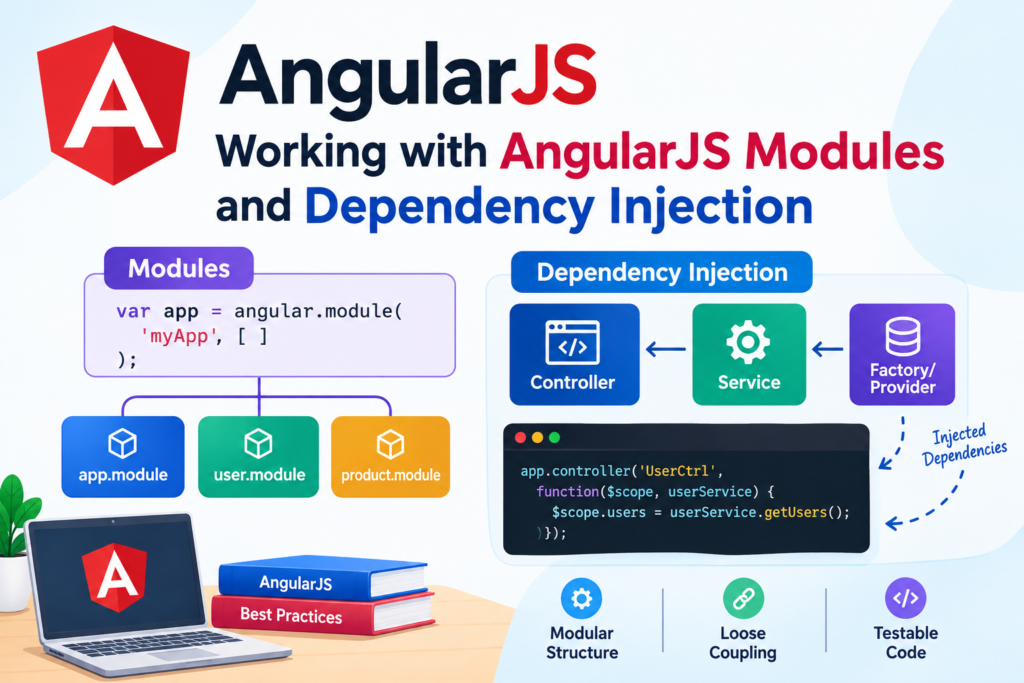
Oct
AngularJS is a JavaScript framework that introduced a structured approach to building dynamic web applications. Although AngularJS is now a legacy framework and is no longer actively developed, many existing applications still rely on it. Understanding AngularJS modules and dependency injection (DI) is therefore valuable when maintaining, upgrading, or extending older AngularJS projects.
In this article, we’ll explore how AngularJS modules work, how dependency injection simplifies application development, and how these concepts can be used together to create maintainable applications.
What Are AngularJS Modules?
An AngularJS module is a container for different parts of an application, such as:
- Controllers
- Services
- Factories
- Filters
- Directives
- Components
- Configuration blocks
- Routes
Modules help organize application code into logical sections instead of putting everything into a single JavaScript file.
A basic module can be created using angular.module():
var app = angular.module('myApp', []);Here:
myAppis the module name.[]represents the module’s dependencies.
The empty array means that myApp does not depend on any other AngularJS modules.
Creating a Module With Dependencies
AngularJS allows one module to depend on other modules.
For example:
var app = angular.module('myApp', ['ngRoute']);The application now depends on the AngularJS ngRoute module.
You can also create your own modules:
var userModule = angular.module('userModule', []);
var productModule = angular.module('productModule', []);

var app = angular.module('myApp', [
    'userModule',
    'productModule'
]);
This approach makes larger applications easier to maintain because functionality can be separated into independent modules.
Creating and Retrieving Modules
One important AngularJS detail is the difference between creating a module and retrieving an existing module.
To create a module:
var app = angular.module('myApp', []);To retrieve an existing module:
var app = angular.module('myApp');Notice that the second example does not contain the dependency array.
If you accidentally write:
angular.module('myApp', []);again, AngularJS creates/reinitializes the module definition rather than simply retrieving the existing module configuration. This can cause unexpected behavior in larger applications.
Adding Controllers to a Module
Once a module has been created, you can register controllers with it.
var app = angular.module('myApp', []);

app.controller('UserController', function($scope) {
    $scope.name = 'John';
});
The controller can then be used in HTML:
<div ng-app="myApp" ng-controller="UserController">
    <h2>Hello {{ name }}</h2>
</div>
The module connects the application’s JavaScript functionality with the AngularJS application defined in the HTML.
What Is Dependency Injection?
Dependency injection is one of AngularJS’s core features.
Instead of creating dependencies manually inside a function, AngularJS can provide the required services automatically.
For example:
app.controller('UserController', function($scope, $http) {
    $http.get('/api/users')
        .then(function(response) {
            $scope.users = response.data;
        });
});
The controller requires two dependencies:
$scope$http
AngularJS identifies these dependencies and provides them when the controller is created.
This means the developer does not need to manually instantiate $http.
Why Use Dependency Injection?
Dependency injection provides several important benefits.
1. Better Code Organization
Dependencies are explicitly declared, making it easier to understand what a component needs.
function UserController($scope, $http, UserService) {
    // Controller logic
}
A developer can immediately see that the controller depends on $scope, $http, and UserService.
2. Easier Testing
DI makes it easier to replace real services with mock services during testing.
For example, instead of calling a real API, a test can provide a mock version of UserService.
3. Reduced Coupling
Components don’t need to know how their dependencies are created.
The dependency injection system handles the creation and delivery of services.
4. Reusable Services
Services can be registered once and injected into multiple controllers, directives, or other services.
Creating a Service
A common way to organize application logic is to create a service.
app.service('UserService', function() {

    this.getUserName = function() {
        return 'John';
    };

});
The service can then be injected into a controller:
app.controller('UserController', function($scope, UserService) {

    $scope.name = UserService.getUserName();

});
AngularJS creates the service and supplies it to the controller automatically.
Using Factories
Factories are another common way to create reusable functionality.
app.factory('UserService', function() {

    return {
        getUserName: function() {
            return 'John';
        }
    };

});
It can be injected in exactly the same way:
app.controller('UserController', function($scope, UserService) {

    $scope.name = UserService.getUserName();

});
The main difference is that a factory returns the object or value that AngularJS should provide.
Dependency Injection With $http
The $http service is frequently used for API communication.
app.service('ProductService', function($http) {

    this.getProducts = function() {
        return $http.get('/api/products');
    };

});
A controller can consume the service:
app.controller('ProductController', function($scope, ProductService) {

    ProductService.getProducts()
        .then(function(response) {
            $scope.products = response.data;
        });

});
This separates API-related logic from the controller.
Instead of putting HTTP requests directly into every controller, the application can centralize them inside services.
Nested Dependencies
AngularJS services can themselves have dependencies.
For example:
app.service('ProductService', function($http, $q) {

    this.getProducts = function() {
        return $http.get('/api/products');
    };

});
Here, ProductService depends on:
$http$q
AngularJS resolves these dependencies automatically.
Dependencies can therefore form a chain:
Controller
    ↓
ProductService
    ↓
$http
AngularJS manages this dependency chain through its injector.
Dependency Injection in Directives
Dependencies can also be used with directives.
app.directive('userInfo', function(UserService) {

    return {
        template: '<div>{{ userName }}</div>',

        link: function(scope) {
            scope.userName = UserService.getUserName();
        }
    };

});
This allows directives to use application services without manually creating them.
Minification and Dependency Injection
One important consideration when working with AngularJS is JavaScript minification.
This code can cause problems after minification:
app.controller('UserController', function($scope, $http) {
    // ...
});
Minification can rename $scope and $http, causing AngularJS to lose the dependency information.
AngularJS provides an array annotation syntax to solve this:
app.controller('UserController', [
    '$scope',
    '$http',
    function($scope, $http) {

        // Controller logic

    }
]);
AngularJS can now identify the dependencies even if the function parameters are renamed.
Another approach is $inject:
function UserController($scope, $http) {
    // Controller logic
}

UserController.$inject = ['$scope', '$http'];

app.controller('UserController', UserController);
For older production AngularJS applications, explicit dependency annotation is particularly important when JavaScript files are minified or bundled.
Organizing Modules in a Large Application
A larger AngularJS project can divide functionality into multiple modules.
For example:
myApp
├── userModule
├── productModule
├── orderModule
└── adminModule
The main application can load these modules:
angular.module('myApp', [
    'userModule',
    'productModule',
    'orderModule',
    'adminModule'
]);
This modular structure can make an application easier to maintain as it grows.
Best Practices for AngularJS Modules and DI
When working with an existing AngularJS application, consider the following practices:
Keep Modules Focused
Avoid creating one enormous module containing every feature. Group related functionality together.
Use Services for Shared Logic
Business logic and API communication are often better placed in services rather than duplicated across controllers.
Avoid Overloading Controllers
Controllers should coordinate application behavior rather than contain large amounts of business logic.
Use Explicit Dependency Annotation
If the application is minified, use array notation or $inject annotations.
Give Dependencies Clear Names
Names such as UserService, ProductService, and OrderService make code easier to understand.
Avoid Unnecessary Global Variables
AngularJS modules provide a useful structure for organizing application functionality. Take advantage of that structure instead of placing application logic in global JavaScript variables.
Conclusion
AngularJS modules and dependency injection are fundamental concepts for understanding and maintaining AngularJS applications. Modules organize application functionality, while dependency injection manages the relationships between different parts of the application.
By separating controllers, services, directives, and other functionality into focused modules, developers can create applications that are easier to maintain and test. Dependency injection further reduces coupling by allowing AngularJS to provide required services automatically.
Although modern projects generally use newer frameworks and libraries, these concepts remain important when working with legacy AngularJS applications, migrating older systems, or maintaining established enterprise applications.
