
Angularjs, Web Development
Building Real-Time Applications with AngularJS and Socket.io
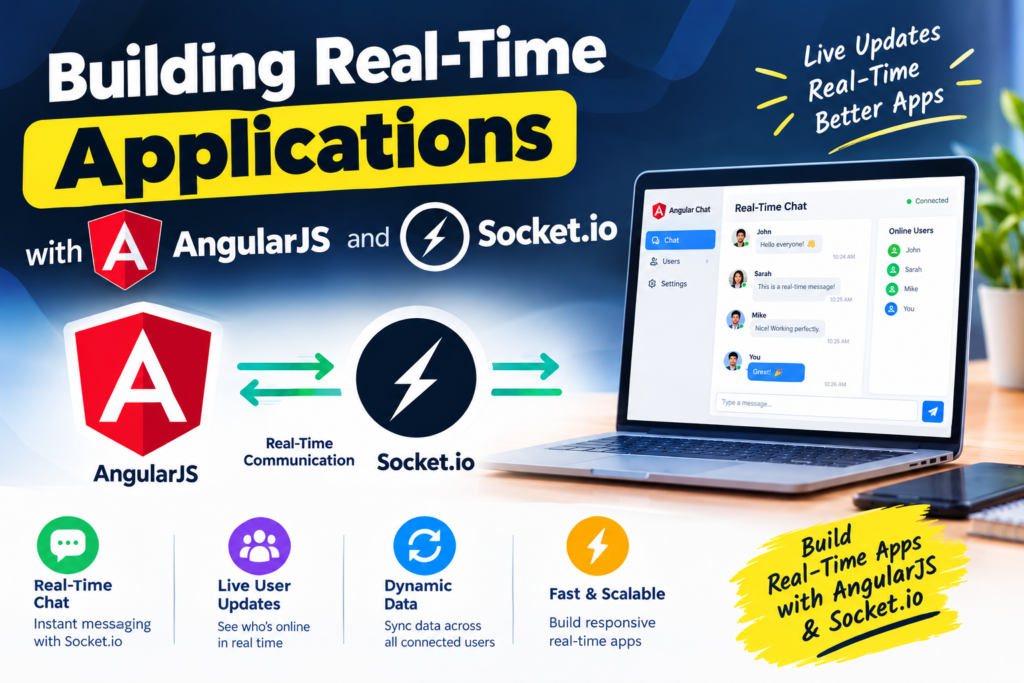
Sep
Building Real-Time Applications with AngularJS and Socket.io
Modern web applications increasingly need to respond to events instantly. Whether it is a live chat application, real-time dashboard, collaborative tool, notification system, or multiplayer game, users expect information to update without manually refreshing the page.
Traditional HTTP requests are not always ideal for this type of experience. This is where real-time communication technologies such as Socket.io can be useful.
In this guide, we will explore how AngularJS and Socket.io can work together to build real-time web applications, understand the architecture behind them, and look at a practical implementation.
What Is a Real-Time Application?
A real-time application allows information to be exchanged between a client and a server immediately when an event occurs.
For example, imagine a chat application:
- User A sends a message.
- The server receives the message.
- The server immediately broadcasts it.
- User B receives the message without refreshing the browser.
This differs from traditional applications where the browser might repeatedly send requests asking whether new information is available.
Common examples of real-time applications include:
- Live chat applications
- Real-time notifications
- Stock and cryptocurrency dashboards
- Online gaming
- Collaborative editing tools
- Delivery tracking systems
- Customer support dashboards
- Live analytics
- Auction platforms
- Monitoring systems
What Is AngularJS?
AngularJS is Google’s original JavaScript framework for building dynamic web applications. It introduced concepts such as two-way data binding, dependency injection, controllers, services, and directives.
Although modern projects generally use newer Angular versions rather than AngularJS, many existing applications still use AngularJS and require real-time functionality.
AngularJS is particularly useful for managing the client-side application, while Socket.io can handle real-time communication between the browser and server.
What Is Socket.io?
Socket.io is a JavaScript library designed for real-time, bidirectional communication between clients and servers.
It commonly uses WebSockets when available while providing fallback mechanisms and additional features that simplify real-time application development.
A typical architecture looks like this:
AngularJS Browser
       |
       | Socket.io connection
       |
       v
Node.js + Socket.io Server
       |
       v
     Database
The browser can send events to the server, and the server can send events back to connected clients.
AngularJS and Socket.io Architecture
When combining AngularJS with Socket.io, it is useful to separate responsibilities.
AngularJS
AngularJS manages:
- User interface
- Application state
- Data binding
- User interactions
- Rendering incoming data
Socket.io
Socket.io manages:
- Persistent connections
- Sending events
- Receiving events
- Broadcasting updates
- Handling connection and disconnection events
Node.js
Node.js typically acts as the backend server responsible for:
- Authentication
- Business logic
- Database operations
- Socket.io event handling
- API endpoints
This separation makes the application easier to maintain.
Setting Up the Project
For a basic demonstration, we can create a Node.js application and install Socket.io.
Create a project directory:
mkdir realtime-angularjs
cd realtime-angularjs
npm init -y
Install Express and Socket.io:
npm install express socket.io
You can then create a basic project structure:
realtime-angularjs/
│
├── server.js
├── package.json
└── public/
    ├── index.html
    └── app.js
Creating the Socket.io Server
Create server.js:
const express = require("express");
const http = require("http");
const { Server } = require("socket.io");

const app = express();
const server = http.createServer(app);

const io = new Server(server);

app.use(express.static("public"));

io.on("connection", (socket) => {
    console.log("Client connected:", socket.id);

    socket.on("sendMessage", (message) => {
        io.emit("newMessage", message);
    });

    socket.on("disconnect", () => {
        console.log("Client disconnected:", socket.id);
    });
});

server.listen(3000, () => {
    console.log("Server running on http://localhost:3000");
});
Here, Socket.io listens for incoming connections.
When a client sends the sendMessage event, the server broadcasts a newMessage event to all connected clients.
Connecting AngularJS to Socket.io
Now we can create a simple AngularJS application.
The HTML page can load AngularJS and the Socket.io client library:
<!DOCTYPE html>
<html ng-app="realtimeApp">
<head>
    <title>Real-Time AngularJS App</title>
</head>

<body ng-controller="ChatController">

    <input type="text" ng-model="message" placeholder="Enter message">

    <button ng-click="sendMessage()">
        Send
    </button>

    <ul>
        <li ng-repeat="item in messages track by $index">
            {{ item }}
        </li>
    </ul>

    <script src="https://ajax.googleapis.com/ajax/libs/angularjs/1.8.3/angular.min.js"></script>
    <script src="/socket.io/socket.io.js"></script>
    <script src="app.js"></script>

</body>
</html>
The Socket.io server automatically makes /socket.io/socket.io.js available to the browser.
Creating the AngularJS Controller
Create public/app.js:
const app = angular.module("realtimeApp", []);

app.controller("ChatController", function($scope) {

    const socket = io();

    $scope.messages = [];
    $scope.message = "";

    $scope.sendMessage = function() {

        if (!$scope.message.trim()) {
            return;
        }

        socket.emit("sendMessage", $scope.message);

        $scope.message = "";
    };

    socket.on("newMessage", function(message) {

        $scope.$apply(function() {
            $scope.messages.push(message);
        });

    });

});
The important part is the communication between AngularJS and Socket.io.
When the user clicks the Send button:
socket.emit("sendMessage", $scope.message);
The message is sent to the server.
The server then broadcasts:
io.emit("newMessage", message);
The browser receives the event:
socket.on("newMessage", function(message) {
    // Update interface
});
AngularJS can then update the view.
Why $scope.$apply() Can Be Necessary
One important issue when integrating AngularJS with external JavaScript libraries is AngularJS’s digest cycle.
AngularJS normally detects changes caused by AngularJS events. Socket.io callbacks, however, occur outside AngularJS’s normal execution flow.
Therefore, changes may sometimes not immediately appear in the interface.
Using:
$scope.$apply(function() {
    $scope.messages.push(message);
});
tells AngularJS that something has changed and that the view should be updated.
For larger applications, it is often better to encapsulate Socket.io functionality inside an AngularJS service rather than placing socket logic directly inside controllers.
Creating a Reusable Socket Service
A service makes the application architecture cleaner.
app.factory("socketService", function() {

    const socket = io();

    return {

        on: function(eventName, callback) {
            socket.on(eventName, callback);
        },

        emit: function(eventName, data) {
            socket.emit(eventName, data);
        }

    };

});
The controller can then use the service:
app.controller("ChatController", function($scope, socketService) {

    $scope.messages = [];

    $scope.sendMessage = function() {

        if (!$scope.message.trim()) {
            return;
        }

        socketService.emit("sendMessage", $scope.message);

        $scope.message = "";
    };

    socketService.on("newMessage", function(message) {

        $scope.$apply(function() {
            $scope.messages.push(message);
        });

    });

});
This approach makes the socket connection reusable throughout the application.
Understanding Socket.io Events
Socket.io is based heavily on events.
For example:
socket.emit("userTyping", {
    username: "John"
});
The server can listen for the event:
socket.on("userTyping", (data) => {
    console.log(data.username + " is typing");
});
The server can also send an event:
socket.emit("notification", {
    message: "New notification"
});
Or broadcast it to other connected users:
socket.broadcast.emit("notification", {
    message: "A new user joined"
});
This event-driven approach is one of the main reasons Socket.io is useful for real-time applications.
Using Rooms for Private Communication
Socket.io rooms are useful when only a specific group of users should receive an event.
For example, consider a support application where each customer has a separate support conversation.
A user can join a room:
socket.join("support-room-123");
The server can then send a message only to that room:
io.to("support-room-123").emit("newMessage", {
    message: "Support agent joined the conversation"
});
Rooms are useful for:
- Chat conversations
- Team collaboration
- Online meetings
- Multiplayer games
- Project-specific notifications
- Organization-based dashboards
Handling User Connection Status
Real-time applications often need to know whether users are online.
Socket.io provides connection and disconnection events:
io.on("connection", (socket) => {

    console.log("User connected");

    socket.on("disconnect", () => {
        console.log("User disconnected");
    });

});
You can combine this with a database to maintain online-status information.
For example:
User
  |
  +-- Online
  |
  +-- Offline
  |
  +-- Last Seen
This can be useful in messaging and collaboration applications.
Building Real-Time Notifications
The same architecture can be used for notifications.
For example, when a new order is created:
io.emit("newOrder", {
    orderId: 1001,
    customer: "John",
    amount: 2500
});
An AngularJS dashboard can listen for this event:
socket.on("newOrder", function(order) {

    $scope.$apply(function() {
        $scope.notifications.push(order);
    });

});
The administrator can therefore see the new order immediately without refreshing the dashboard.
Real-Time Dashboards
Real-time dashboards are another excellent use case.
Imagine a server-monitoring dashboard showing:
- CPU usage
- Memory usage
- Active users
- Requests per second
- Server status
- Error counts
Instead of repeatedly polling the server, the backend can push updates:
io.emit("serverStats", {
    cpu: 42,
    memory: 68,
    users: 153
});
AngularJS can immediately update the dashboard.
This can reduce unnecessary polling requests and provide a more responsive experience.
Authentication and Security
Real-time applications should not treat Socket.io connections as automatically trusted.
Authentication should be implemented before allowing users to access private events or rooms.
For example, a server can use authentication middleware:
io.use((socket, next) => {

    const token = socket.handshake.auth.token;

    if (!token) {
        return next(new Error("Authentication required"));
    }

    // Validate token here

    next();
});
For production applications, authentication tokens should be securely generated, validated, and expired appropriately.
You should also consider:
- HTTPS
- Input validation
- Authorization
- Rate limiting
- Secure authentication tokens
- Access control for rooms
- Protection against unauthorized events
Never assume that because an event comes through Socket.io, the data is trustworthy.
Scaling Socket.io Applications
A single Socket.io server can work well for small and medium applications. Larger systems may require multiple server instances.
For example:
             Load Balancer
                  |
       +----------+----------+
       |                     |
   Server A               Server B
       |                     |
       +----------+----------+
                  |
                Redis
When multiple Socket.io servers are involved, a shared adapter such as the Redis adapter can help distribute events between server instances.
This becomes important when users connected to different servers still need to receive the same real-time events.
Socket.io vs Traditional Polling
Traditional polling repeatedly asks the server for updates.
For example:
Browser → Are there new messages?
Server  → No

Browser → Are there new messages?
Server  → No

Browser → Are there new messages?
Server  → Yes
With real-time communication:
Browser ←→ Socket.io Server

Server → New message!
Browser → Displays message
The second approach can provide a more responsive user experience.
However, polling can still be appropriate for simple applications where updates are infrequent and real-time communication is unnecessary.
Best Practices
When building AngularJS and Socket.io applications, consider the following practices.
Keep Socket Logic Separate
Avoid putting all socket operations directly inside controllers.
A dedicated service makes the code easier to maintain.
Use Meaningful Event Names
Instead of generic events such as:
update
data
message
use descriptive names:
newMessage
userTyping
orderCreated
notificationReceived
Validate Incoming Data
Never trust data received from a browser.
Validate:
- Data types
- Required fields
- User permissions
- Message length
- IDs
- Authentication information
Handle Disconnects
Network connections can fail.
Your application should gracefully handle:
- Connection loss
- Reconnection
- Server restart
- Browser sleep
- Network changes
Avoid Excessive Events
Sending thousands of events per second can overload both the client and server.
Consider batching, throttling, or reducing unnecessary updates.
Monitor Server Resources
Real-time applications maintain connections, so memory and CPU usage should be monitored carefully as the number of concurrent users increases.
Common Applications
AngularJS and Socket.io can be used for many types of applications, including:
Chat systems: Exchange messages instantly.
Live notifications: Notify users when something happens.
Trading dashboards: Display changing market information.
Customer support: Allow agents and customers to communicate in real time.
Collaboration tools: Synchronize changes between multiple users.
Gaming: Exchange player actions and game events.
Tracking systems: Display location or status changes.
Administrative dashboards: Show live business metrics.
Is AngularJS Still Suitable for New Projects?
AngularJS is a legacy framework and is no longer the preferred choice for most new applications. Modern projects should generally consider actively maintained frameworks and libraries.
However, many businesses still operate applications built with AngularJS. For those systems, Socket.io can provide a practical way to add real-time functionality without completely rebuilding the frontend.
If you are maintaining an existing AngularJS application, understanding its integration with Node.js and Socket.io can therefore remain valuable.
Conclusion
Combining AngularJS with Socket.io provides a straightforward architecture for adding real-time communication to web applications.
AngularJS handles the user interface and application state, while Socket.io enables event-based communication between the browser and backend server. Together with Node.js, they can be used to build chat applications, notifications, dashboards, collaboration tools, monitoring systems, and many other real-time experiences.
For production applications, however, real-time functionality should be designed with authentication, validation, reconnection handling, scalability, and performance in mind.
The fundamental concept remains simple:
The server produces an event, Socket.io delivers it, and AngularJS updates the interface.
Once this event-driven architecture is understood, it becomes much easier to build responsive applications where users see important information as it happens rather than waiting for a page refresh.
