

Chatgpt
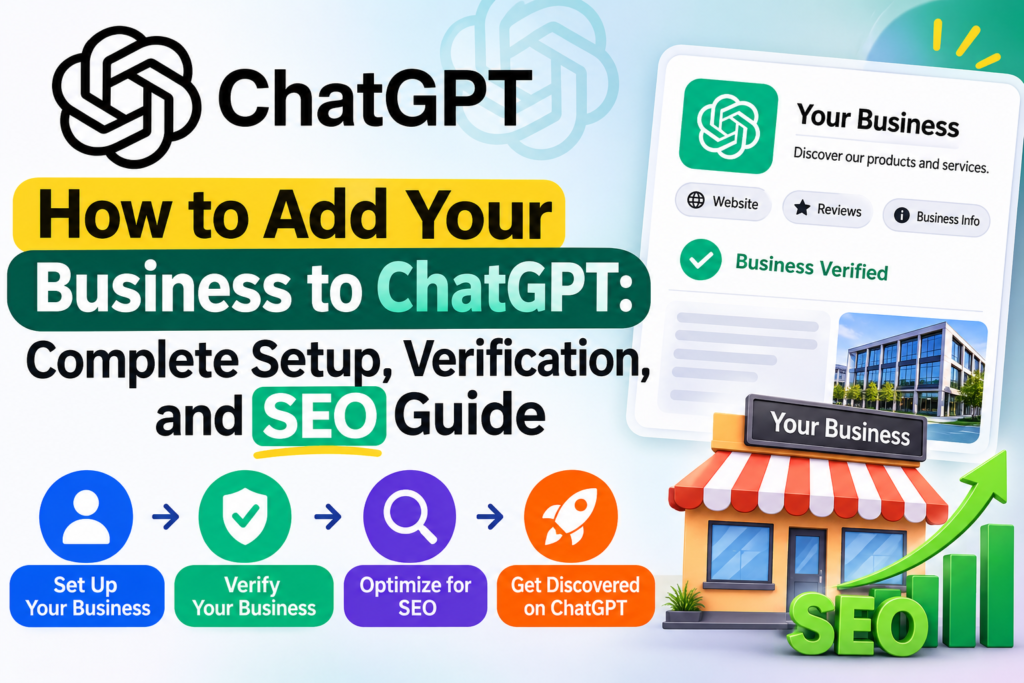
How to Add Your Business to ChatGPT: Complete Setup, Verification, and SEO Guide
Nov
Adding your business to ChatGPT is becoming an important opportunity for companies looking to improve their online visibility. With AI-powered platforms changing how customers discover products and services, businesses need to understand how to establish their presence in these new digital environments.
OpenAI introduced Businesses in ChatGPT through Business Hub in November 2026. This feature allows eligible businesses to claim their profiles, verify ownership, manage company information, and access insights about how customers discover them through ChatGPT.
In this guide, you’ll learn how to add business to ChatGPT, complete the verification process, optimize your business profile, and use AI visibility insights to support your SEO and digital marketing strategy.
What Is Businesses in ChatGPT?
Businesses in ChatGPT is an OpenAI initiative that gives businesses a way to manage their presence on ChatGPT.
The central component is Business Hub, where eligible businesses can claim their existing business profile or add a business when the feature supports it.
After completing the required verification, business owners can manage information such as:
- Business name and description
- Website address
- Business categories
- Contact information
- Company logo and cover image
- Product information and availability
- Delivery and return policies, where applicable
Business Hub also provides aggregated insights that help businesses understand how people engage with their information through ChatGPT.
Think of it as a dedicated business management and visibility platform for the ChatGPT ecosystem. However, it is not the same as Google Business Profile or a paid ChatGPT Business workspace subscription.
OpenAI’s official announcement: https://openai.com/index/introducing-businesses-chatgpt/
Why Should You Add Your Business to ChatGPT?
AI-powered discovery is becoming an important part of the customer journey. People can ask ChatGPT questions such as:
- Which companies offer affordable website development?
- What are the best WordPress development services for small businesses?
- Which digital marketing agencies help startups?
- Where can I find reliable SEO services?
- Which software development companies offer custom solutions?
When ChatGPT answers these questions, businesses and their websites may be referenced as relevant sources.
Claiming your business through Business Hub gives eligible businesses an opportunity to manage their information and access insights about their visibility.
Here are some important benefits.
1. Manage Your Business Information
You can provide accurate business information, including your description, website, business category, and other supported details.
Keeping this information consistent helps reduce confusion when customers research your company.
2. Understand ChatGPT Visibility
Business Hub provides aggregated information about how frequently ChatGPT references your business website and how often users click through to it.
This gives business owners another source of information when evaluating their AI visibility.
3. Discover Relevant Topics
Discovery topics help identify common themes in ChatGPT answers where your website is cited.
These insights can help content marketers identify subjects that deserve additional attention.
4. Share Accurate Product Information
Businesses that sell products can connect supported product feeds containing information such as pricing and availability.
This can help provide more current product information within supported ChatGPT experiences.
5. Explore Business Agents
Eligible businesses can create Business Agents that answer customer questions using information supplied by the business.
This feature is initially available to eligible ecommerce and online service businesses in the United States.
Who Can Add a Business to ChatGPT?
OpenAI allows eligible businesses located in countries where ChatGPT is available to claim their business through Business Hub.
However, availability depends on the business location, business type, and supported verification methods.
There are important differences between claiming a business profile and accessing additional features.
For example:
- Online businesses may be able to claim an existing listing or add a new business where supported.
- Businesses outside the United States may be eligible to claim profiles, depending on regional availability and verification support.
- Shopify merchants can connect their stores through supported Shopify integrations.
- Business Agents have separate eligibility requirements and are initially available to qualifying businesses in the United States.
Not every business will have access to every feature.
The best way to check eligibility is to sign in to ChatGPT and visit Business Hub.
How to Add Your Business to ChatGPT: Step-by-Step Guide
Setting up your business is straightforward, although the process involves business ownership verification and a separate identity verification stage.
Follow these steps.
Step 1: Open ChatGPT Business Hub
First, sign in to your ChatGPT account.
Visit: https://chatgpt.com/business-hub
You can also look for Business Hub in the ChatGPT sidebar.
Use an account that you intend to use for managing your business profile.
If you are setting up a profile for a client, make sure the business owner or authorized representative is involved in the process.
Step 2: Search for Your Business
Once Business Hub opens, search for your business using its official name.
If a matching listing appears, select the correct business.
Check the available details carefully to ensure you are claiming the right organization.
Depending on your situation, you may encounter different options:
- Existing listing: Select the business profile that matches your organization.
- No listing found: Check whether Business Hub allows you to create a new business profile.
- Ownership already claimed: Follow the available ownership dispute or support process.
- Invitation received: Open the invitation and follow the instructions using the intended account.
For online businesses, you may be asked to provide your website address and explain how customers interact with your business.
Step 3: Verify Business Ownership
OpenAI provides different verification options depending on your business and location.
Available methods may include:
Business phone verification
You may receive a verification code through an SMS message or automated phone call.
Business email verification
You may be asked to verify access to an email address associated with your organization.
Website domain verification
If this option is available, you may need to prove ownership of your website domain by adding a DNS TXT record.
Shopify verification
Eligible Shopify merchants can use the supported Shopify connection to streamline the verification process.
If you select DNS verification, follow these instructions:
- Open the domain verification section in Business Hub.
- Copy the TXT record provided by OpenAI.
- Sign in to your domain DNS management panel.
- Add the TXT record exactly as provided.
- Save the DNS changes.
- Return to Business Hub and complete the verification process.
DNS changes can take time to propagate.
Always use the exact record supplied by OpenAI rather than copying an example from another website.
Step 4: Wait for Business Claim Approval
After submitting your ownership verification, OpenAI reviews the claim.
You may receive an email confirming approval or requesting additional information.
The review period can vary, and OpenAI does not guarantee a fixed approval time.
Check your email regularly for updates.
Step 5: Complete Identity Verification With Persona
Business ownership verification and personal identity verification are separate steps.
After your claim is approved, you may need to complete identity verification through Persona.
This additional verification is important because it allows eligible business representatives to access additional Business Hub features.
Depending on the verification requirements, you may be asked to provide:
- Government-issued identification
- Business registration information
- Proof that you are authorized to represent the business
Follow the instructions provided during verification.
Once Persona verification is approved, eligible accounts can access additional capabilities, including editing business information and viewing insights.
A blue verified badge is associated with approved Persona identity verification. Simply submitting a business claim does not automatically provide this badge.
Step 6: Complete Your Business Profile
After the required approvals, open your business profile and review the available editing options.
A complete and accurate profile helps ensure that customers can understand what your company offers.
Pay attention to these sections.
About
Write a clear description of your business. Explain your services, target customers, and areas of expertise.
Select the most relevant business category and additional categories where available.
Contact
Provide accurate contact information and your official website address.
Make sure the details match the information published on your website.
Photos
Upload a professional company logo and an appropriate cover image.
Use high-quality images that represent your business identity.
Delivery
If applicable, provide clear information about your delivery policies.
Returns
If you sell products, explain your return policies in a straightforward manner.
Review your information before saving it. OpenAI reviews profile updates, and changes may take time to appear.
Step 7: Connect Products and Invite Your Team
Businesses that sell products can explore the available product feed options.
Depending on eligibility, supported integrations may include:
- CSV product feeds
- Hosted product feed URLs
- Shopify integrations
Product feeds can provide information such as product names, prices, and availability.
Connecting a product feed does not guarantee that ChatGPT will recommend your products.
You can also invite teammates or grant an agency access where supported.
Each invited person should use their own ChatGPT account and the access provided by the business administrator.
What Is ChatGPT Business Hub Analytics?
One of the most interesting features of Business Hub is its business insights section.
Instead of relying entirely on third-party AI visibility monitoring tools, eligible businesses can access aggregated information directly from OpenAI.
The currently documented insights include three important areas.
1. Business Mentions
Mentions indicate how often ChatGPT references your business website.
For online businesses, a mention is counted when ChatGPT references the business website.
For local businesses, the metric relates to the appearance of a location result.
A mention does not necessarily mean that someone clicked your website.
It is useful for understanding how your business appears in ChatGPT experiences.
2. Website Clicks
Website clicks show how often users click through from ChatGPT to your website.
This is particularly valuable for businesses that want to generate leads, inquiries, and sales through AI-powered discovery.
You can compare these figures with your website analytics to better understand referral traffic.
For example, Google Analytics 4 can help you investigate traffic coming from ChatGPT and examine what visitors do after reaching your website.
Keep in mind that click counts and analytics sessions may differ because not every click necessarily becomes a recorded website session.
3. Discovery Topics
Discovery topics are common themes in ChatGPT answers where your business website is cited.
For example, a web development company might appear in discussions involving:
- WordPress development
- Website redesign
- Ecommerce development
- Website maintenance
- SEO services
These topics can help businesses understand the subjects associated with their online presence.
They can also provide useful ideas for future content.
Importantly, discovery topics do not reveal individual customer prompts or conversations.
OpenAI provides aggregated insights to protect user privacy.
How to Use ChatGPT Business Insights for SEO and GEO
Traditional SEO focuses on improving a website’s visibility in search engines.
Generative Engine Optimization (GEO) focuses on improving how useful and relevant business information is represented in AI-powered search and answer experiences.
Business Hub provides another source of information that can support both approaches.
Here are practical ways to use it.
1. Create Content Around Discovery Topics
Review the topics associated with your business.
Identify whether your website already has useful pages covering those subjects.
If an important topic does not have a dedicated page, investigate whether creating one would help your customers.
For example, a software development company could publish detailed guides about custom software development, WordPress maintenance, ecommerce development, and website performance.
Focus on answering real customer questions rather than creating pages simply to target keywords.
2. Improve Existing Service Pages
Make sure each important service page clearly explains:
- What the service includes
- Who needs the service
- Problems it solves
- How the process works
- Expected deliverables
- Frequently asked questions
- How customers can get started
Detailed and useful service pages help both visitors and search systems understand your business.
3. Maintain Consistent Business Information
Your business name, website, services, contact information, and company description should be consistent across important online platforms.
Review your:
- Official website
- Business profiles
- Industry directories
- Social media profiles
- Relevant company listings
Avoid publishing conflicting company information across different platforms.
4. Build Authority Through Useful Content and Mentions
Your online reputation is not limited to your own website.
Relevant industry publications, genuine customer reviews, useful guest articles, and credible business directories can help establish a broader online presence.
Focus on earning relevant brand mentions and publishing content that provides genuine value.
Avoid buying spammy backlinks or publishing low-quality articles simply to increase link counts.
5. Monitor Website Traffic and Conversions
Do not measure AI visibility only through mentions.
Track what happens after visitors arrive at your website.
Useful measurements include:
- ChatGPT referral sessions
- Contact form submissions
- Service inquiries
- Product purchases
- Newsletter registrations
- Conversion rates
The ultimate goal is not simply to appear in AI answers. It is to attract relevant visitors and turn genuine interest into business opportunities.
What Businesses Should Know About Business Hub Limitations
Although Business Hub introduces useful capabilities, there are some important limitations.
Claiming does not guarantee recommendations
Verifying your profile does not guarantee that ChatGPT will recommend your company or place it above competitors.
Insights are aggregated
Business owners do not receive individual customer prompts or private ChatGPT conversations.
Limited competitor information
Business Hub does not provide a complete competitor visibility or share-of-voice report.
Reporting thresholds
Some metrics may not appear when activity is insufficient to meet OpenAI’s reporting thresholds. A blank metric does not necessarily mean that your business has received zero mentions or clicks.
Features vary by eligibility
Business Agents, product feeds, and other capabilities may have separate availability and eligibility requirements.
Updates may take time
Changes to business information are reviewed and may not appear immediately in ChatGPT answers.
These limitations are worth considering when evaluating your AI visibility strategy.
Your First 30-Day ChatGPT Business Optimization Checklist
Once your business profile is claimed, use the following checklist to organize your initial optimization work.
Claim your business through ChatGPT Business Hub.
Complete the available business ownership verification.
Complete Persona identity verification.
Review your business description and categories.
Add your official website and contact information.
Upload your company logo and cover image.
Review your delivery and return policies, if applicable.
Record your available business insights as a baseline.
Review discovery topics and identify relevant content opportunities.
Improve important service and product pages.
Check ChatGPT referral traffic in Google Analytics 4.
Review your business information across relevant online platforms.
Invite authorized team members or an agency where appropriate.
Revisit your performance regularly and use the information to improve your website and customer experience.
Final Thoughts
The introduction of Businesses in ChatGPT creates a new opportunity for eligible companies to manage their information and understand how people discover them through AI.
With Business Hub, businesses can claim their profiles, complete verification, update important information, connect supported product feeds, and explore aggregated visibility insights.
However, creating a profile should not replace the fundamentals of digital marketing.
A professional website, useful content, accurate business information, good customer experiences, and a trustworthy online reputation remain important.
For businesses looking to grow their digital presence, combining traditional SEO with a practical GEO strategy can help prepare them for the changing online discovery landscape.
Need help improving your business website?
Delight IT Solutions provides website development, WordPress and WooCommerce development, SEO, website optimization, custom software development, and AI-powered solutions for businesses.
Explore our services at https://www.delightitsolutions.com/ and discover how a stronger digital presence can support your business growth.
Frequently Asked Questions
1. Can I add my business to ChatGPT for free?
OpenAI provides Business Hub as a business management feature. Claiming your business is separate from purchasing a paid ChatGPT workspace plan or running advertisements. Check the current availability and requirements for your business.
2. Where can I register my business on ChatGPT?
Visit https://chatgpt.com/business-hub, sign in, and search for your business.
3. Is Business Hub the same as ChatGPT Business?
No. Business Hub is designed for claiming and managing business profiles. ChatGPT Business is a separate paid workspace offering for organizations.
4. Do I need a website to claim my business?
Requirements depend on your business type and the available claim options. OpenAI supports eligible businesses through different verification methods. A website is particularly relevant to online businesses and Business Agent eligibility.
5. What is Persona verification?
Persona is the identity verification provider used in the Business Hub process. Approved identity verification unlocks additional business management features and the verified badge.
6. Does adding my business guarantee ChatGPT recommendations?
No. Claiming a profile does not guarantee that ChatGPT will recommend your business. The platform continues to generate responses based on its own systems and available information.
7. Can businesses outside the United States use Business Hub?
Eligible businesses in locations where ChatGPT is available may be able to claim their business. Availability depends on business type, location, and verification support. Business Agents currently have separate US eligibility requirements.
8. Can I track website visitors from ChatGPT?
Business Hub provides website click insights. You can also use Google Analytics 4 to investigate referral sessions and conversions from ChatGPT, although the figures may not match exactly.
9. Can I connect my WooCommerce store?
OpenAI documents product feed connections, including CSV and hosted feeds, as well as Shopify integration. WooCommerce merchants can investigate whether their product data can be exported in the supported feed format and meets the applicable product requirements.
10. Does ChatGPT share customer conversations with businesses?
No. OpenAI says that individual user conversations and Business Agent chats are not shared with businesses. Business insights are aggregated and subject to privacy thresholds.
Official Resources
- OpenAI announcement: https://openai.com/index/introducing-businesses-chatgpt/
- Business Hub: https://chatgpt.com/business-hub
- OpenAI Business Setup Guide: https://help.openai.com/en/articles/20001635-setting-up-your-business-on-chatgpt
